

Ross Downing GMC of Gonzales

Blog / Gonzales GMC Dealer

2026 GMC Terrain Features Breakdown: Technology, Comfort and Everyday Practicality

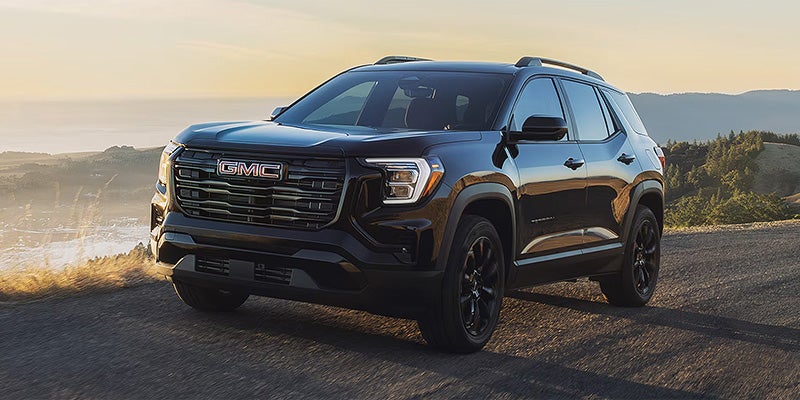
A black GMC SUV parked on a gravel overlook with a hazy coastal landscape in the background.

The 2026 GMC Terrain is engineered for drivers who want a compact SUV that feels modern, intuitive, and easy to live with every day. Rather than focusing on extreme performance or oversized dimensions, the Terrain emphasizes technology that simplifies driving, interior design that supports comfort over long stretches, and practical features that adapt to real household use. Understanding how these systems work together is what helps shoppers determine whether the Terrain fits their daily routines.

Interior Technology and Infotainment Systems

Technology in the 2026 GMC Terrain is designed to reduce friction between the driver and the vehicle. The infotainment system centers on a responsive touchscreen interface that integrates smartphone connectivity, navigation support, and vehicle information in a single, easy to access layout. Controls are positioned to minimize distraction, allowing drivers to make adjustments without shifting focus away from the road.

Wireless smartphone integration allows compatible devices to connect automatically, eliminating the need for cables during short trips or frequent errands. Voice recognition capabilities further reduce manual input, which is especially useful in stop and go traffic or during longer commutes.

From a usability standpoint:

  • Screen menus are structured for quick access rather than deep navigation
  • Physical controls remain available for frequently used functions
  • Audio and navigation systems respond quickly to input without lag

This approach supports daily driving where convenience and clarity matter more than feature overload.

Driver Assistance and Safety Systems

Safety technology in the 2026 Terrain is built around assisting the driver rather than replacing them. Advanced driver assistance systems monitor surrounding traffic, lane position, and vehicle speed to provide alerts and support when needed.

Key systems operate continuously in the background, helping manage common driving scenarios such as highway cruising, urban congestion, and parking. These features are especially valuable for drivers who spend a lot of time in mixed traffic conditions.

Driver assistance systems support:

  • Maintaining lane position during extended highway driving
  • Alerting drivers to vehicles in blind spots
  • Managing following distance in changing traffic flow
  • Enhancing awareness in low speed or tight maneuvering situations

Rather than being intrusive, these systems are calibrated to intervene smoothly, reinforcing driver confidence without creating unnecessary alerts.

Seating Comfort and Cabin Layout

Comfort in the GMC Terrain is driven by thoughtful interior proportions and seating design. Front seats are shaped to support posture over longer drives, reducing fatigue during daily commutes or weekend travel. Seat height and visibility are optimized to give drivers a clear view of the road without feeling elevated or disconnected.

Rear seating is designed to accommodate passengers comfortably while maintaining flexibility for cargo. The cabin layout balances passenger space with storage needs, making it suitable for families, commuters, and drivers who frequently transport gear or groceries.

Interior design priorities include:

  • Straightforward seating adjustments for multiple drivers
  • Materials selected for durability and comfort rather than softness alone
  • Clear sightlines that improve driver awareness in traffic

Cargo Space and Everyday Flexibility

Practicality is a defining element of the Terrain. Cargo space is configured to adapt easily between passenger and storage needs. The rear cargo area supports everyday hauling tasks such as shopping, sports equipment, or work supplies, while folding rear seats allow the space to expand when needed.

This flexibility is important for owners who use their vehicle for a mix of personal and professional tasks. The ability to quickly reconfigure the interior reduces the need for larger vehicles while still meeting daily demands.

Daily Driving Ergonomics

The Terrain is engineered to feel predictable and manageable in everyday driving. Steering response is tuned for stability and ease rather than sharpness, which supports confident driving in both city and highway environments. Pedal response and braking behavior are calibrated to feel smooth and consistent, reducing fatigue during frequent stops.

Visibility plays a key role in daily usability. Window placement, mirror positioning, and camera assistance systems work together to improve awareness when changing lanes, merging, or parking.

From an ownership perspective, these design choices contribute to:

  • Reduced stress in congested driving environments
  • Easier adaptation for drivers transitioning from smaller or larger vehicles
  • A driving experience that feels intuitive rather than demanding

How the Terrain Fits into the Compact SUV Segment

Compared to other compact SUVs, the 2026 GMC Terrain prioritizes balance. It avoids extreme styling or overly complex technology in favor of systems that are easy to understand and consistently useful. This makes it appealing to buyers who want a vehicle that integrates smoothly into daily life without requiring constant adjustment or learning curves.

The Terrain is especially well suited for:

  • Daily commuting and errand running
  • Small families needing adaptable interior space
  • Drivers who value technology that simplifies rather than complicates
  • Owners planning long term use with predictable maintenance needs

Final Perspective

The 2026 GMC Terrain focuses on the realities of everyday driving. Its technology supports convenience and safety, its interior design emphasizes comfort and visibility, and its flexible layout adapts to changing needs. Rather than competing on extremes, the Terrain delivers a well rounded compact SUV experience built around practicality, ease of use, and confidence behind the wheel.

For shoppers evaluating compact SUVs based on real world functionality rather than spec sheet highlights, the Terrain offers a thoughtful balance of technology, comfort, and everyday usability.
Posted in:

Related Posts

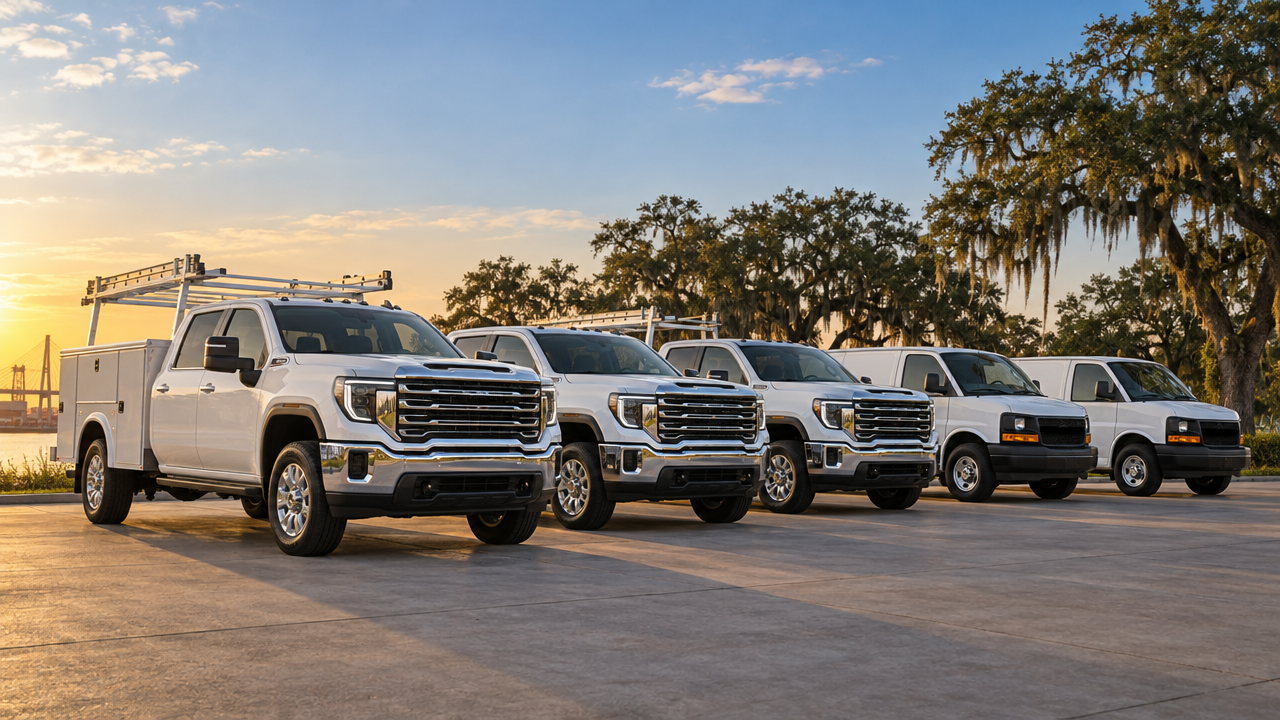
Fleet of GMC work vehicles

5 Questions to Ask Before You Lease a Work Truck

5 Questions to Ask Before You Lease a Work Truck Leasing can make sense if you want newer trucks on a regular cycle, but it isn't the right fit for every truck. If your trucks rack up high miles, get upfits, or stay in your fleet for years, buying usually makes more sense. Ask these five questions before you sign. 1. How many miles will this truck really drive? Leases set a mileage limit, and miles over it usually cost extra at turn-in. Estimate your annual miles honestly, including trips between job sites across Ascension Parish and beyond. 2. What equipment will go on it? Racks, toolboxes and other upfits can lead to charges when a leased truck is returned. If a truck needs heavy upfitting, buying may be simpler. 3. How hard will it be worked? Leases have wear-and-tear standards. A truck that hauls, tows and works every day may show more wear than a lease allows. 4. How long do you want to keep it? If you like replacing trucks on a regular cycle, leasing can fit. If you run trucks until they're worn out, buying usually fits better. 5. What does your accountant say? Leasing and buying can be treated differently for taxes. Talk with your accountant before you decide. Frequently asked questions Is leasing or buying better for a growing business? It depends on how each truck will be used. Many growing businesses lease some trucks and buy the ones that work the hardest. Do leases have mileage limits? Yes. Leases set a mileage limit, and going over it usually means an extra charge when the truck is turned in. Can I buy a truck at the end of a lease? Many leases include an option to buy the vehicle at the end. Ask about the terms of a specific lease before you sign. Trucks for your business? Ross Downing GMC · 2522 S. Burnside Ave., Gonzales, LA 70737 Talk to Our Team Or call (225) 621-2164 This article is general information, not tax, legal or financial advice. Lease and finance terms are subject to approval and vary by vehicle and program. Talk with your accountant about the tax impact for your business.

GMC Sierra vs Silverado Comparison for Truck Shoppers

GMC Sierra vs Silverado Comparison for Truck Shoppers

GMC Sierra vs Silverado comparisons start with two trucks that share major GM engineering. However, their trims and equipment take different paths. Both offer strong engine choices, useful trailering hardware, and a wide range of cab and bed setups. However, the details change as you move through each lineup. Therefore, the clearest way to compare them is to look at shared hardware first. Then, compare trims, cabin materials, off road equipment, and cargo features. Start With What the Sierra and Silverado Share The Sierra 1500 and Silverado 1500 share core GM truck engineering. That includes overlapping engine choices and related transmission pairings. So, are they the same truck? No. They start from a similar mechanical base, but each brand packages that hardware differently. In addition, both lineups can offer turbocharged gasoline, V8 gasoline, and Duramax diesel power. Both trucks can be configured for towing, work, commuting, and long highway trips. Moreover, their cab and bed choices overlap in several areas. Before comparing trim names, it helps to confirm the shared pieces: Both trucks can offer a 2.7 liter turbocharged gasoline engine, V8 choices, and a 3.0 liter Duramax diesel. Both lineups include rear wheel drive and four wheel drive configurations across multiple trims. Both trucks offer trailering technology, camera views, and bed focused equipment on selected trims. Still, the trims do not line up perfectly. Therefore, two trucks with the same engine can feel very different inside. Equipment packages, materials, suspension hardware, and exterior details can change the final result. Trim Structure Creates the First Major Difference By contrast, GMC and Chevrolet use different trim ladders. That matters because trim names can make direct comparisons confusing. For this reason, a Sierra Elevation does not have a perfect Silverado twin. Likewise, upper trims can overlap in price while taking different styling and equipment paths. GMC moves from Pro through SLE, Elevation, SLT, AT4, AT4X, Denali, and Denali Ultimate. Chevrolet uses names such as WT, Custom, LT, RST, LTZ, Trail Boss, ZR2, and High Country. What should you compare first? Start with the job you want the truck to handle. Then, compare equipment inside that use case. For GMC shoppers, these trim directions are useful: Pro and SLE focus on straightforward truck equipment with increasing comfort and convenience. Elevation adds a distinct street oriented look with more standard interior and technology content. AT4 and AT4X move toward off road hardware, while Denali trims focus on materials, comfort, and technology. Chevrolet follows a different structure. Therefore, the strongest comparison is not trim name against trim name. It is equipment package against equipment package. Denali and High Country Take Different Approaches Meanwhile, Denali and High Country sit near the top of their lineups. Both add richer cabin materials and more standard features. However, GMC pushes the Denali identity through its own interior finishes, seat configurations, and exterior details. Is Denali simply a different looking High Country? No. The two trims share some GM technology, but their cabin treatments and standard content differ. Sierra Denali uses its own leather treatments and trim details. Denali Ultimate moves further with upgraded front seating and massage functions. In addition, High Country delivers an upscale cabin. However, Chevrolet uses its own materials, trim patterns, and feature packaging. Super Cruise can also appear on selected versions of both trucks. Therefore, it should not be treated as a GMC only feature. The better comparison is to ask what matters inside the cabin. Seat adjustment range, material feel, display layout, audio equipment, and driver assistance features can all shape the final choice. AT4 and AT4X Change the Off Road Comparison Instead, GMC uses AT4 and AT4X to create a distinct off road path within the Sierra lineup. These trims add mechanical hardware that changes how the truck handles rough ground. What does AT4 change beyond appearance? It adds equipment tied directly to trail use. That includes a factory lift, off road tuned shocks, skid plates, and a two speed transfer case. These parts change ground clearance and traction support before cosmetic details enter the decision. Beyond that, AT4X goes further. It adds front and rear electronic locking differentials and Multimatic DSSV dampers. Therefore, it is built around more demanding terrain than a standard street focused trim. Chevrolet follows a parallel path with Trail Boss and ZR2 trims. However, the hardware mix and trim structure are not identical. For that reason, compare suspension parts, locking hardware, tires, and underbody protection before comparing badges. Choose Based on Equipment Instead of the Badge The Sierra and Silverado share enough hardware that brand alone should not decide the truck. Instead, compare the equipment that shapes how you plan to use it. Therefore, start with engine choice and towing needs. Then, compare cabin materials, off road hardware, cargo tools, and technology. In addition, review which features are standard and which require packages. Before choosing, compare these areas: Engine and drivetrain choices that match your towing, commuting, or work needs. Cabin materials, seating, displays, and driver assistance features on the trims you are considering. Cargo features, tailgate design, bed materials, suspension hardware, and off road equipment. In addition, GMC offers Sierra specific options such as the available CarbonPro bed. Chevrolet offers its own related cargo and tailgate features. Therefore, small equipment differences can matter more than the badge on the grille. With that in mind, build a side by side comparison around matching configurations. Use the same engine class, similar cab and bed setups, and similar trim goals. Then, compare price and included equipment. That process gives you a cleaner view of what each truck offers for your needs. Explore current GMC inventory at Ross Downing GMC of Gonzales to compare available Sierra configurations and equipment.

How Long Does It Take to Charge an Electric Car at Home

How Long Does It Take to Charge an Electric Car at Home

How long does it take to charge an electric car at home in Gonzales? Charging time comes from two numbers: battery energy needed and available home charging power. Therefore, one universal hour estimate cannot describe every charging session. In addition, a short commute may need only a modest refill. A long trip may require many more kilowatt hours before morning. Home Charging Time Starts With Charging Level Home AC charging uses either a 120 volt Level 1 source or a 240 volt Level 2 source. Level 1 sends power slowly through a standard household outlet. By contrast, Level 2 uses a higher voltage and can deliver far more power. Charging power is measured in kilowatts. Battery energy is measured in kilowatt hours. Therefore, a charger rated at more kilowatts can add energy faster when the GMC EV can accept that rate. Moreover, the EV also sets an AC charging limit. For this reason, a wall charger cannot force more power into the battery than the onboard charger accepts. The final rate follows the lower supported number between the charging equipment and the EV. That detail matters for GMC models with large battery packs. A HUMMER EV or Sierra EV can need substantial energy after a long trip. However, the same model may need only a small refill after local errands. How Long Does Level 1 Charging Take at Home? Level 1 charging uses 120 volt AC power and delivers relatively low charging power. GMC's Dual Level Charge Cord can use a standard outlet at up to 1.4 kW. Therefore, at that rate, charging happens gradually across many hours. The EPA estimates Level 1 can add roughly three to five miles of range each hour. Therefore, twelve hours plugged in may replace about 36 to 60 miles under favorable circumstances. That estimate works best as a planning range, not a promise. Battery temperature, outlet quality, charging settings, and energy losses can change what reaches the battery. Still, Level 1 can cover short daily mileage when the EV remains plugged in overnight. Consider a Gonzales owner who drives 25 miles between home, work, school, and errands. Level 1 may replace much of that energy before morning. However, a driver covering 80 miles each day may recover too slowly for the same routine. Level 1 also gives owners a simple entry point. No dedicated 240 volt circuit is needed when an approved household outlet is available. Even so, the outlet should be in good condition and suitable for continuous charging loads. How Much Faster Is Level 2 Charging? Level 2 charging uses 240 volt AC power and delivers far more energy each hour. GMC supports several home charging rates through compatible equipment and EV hardware. The Dual Level Charge Cord can provide up to 7.7 kW from a compatible 240 volt source. GM PowerUp 2 can provide up to 11.5 kW when properly hardwired. Some compatible GMC EV setups can support still higher AC charging rates. Therefore, Level 2 can replace a large share of daily energy during one overnight parking period. EPA guidance places many Level 2 setups near 25 to 40 miles of added range each hour. A 7.7 kW setup and an 11.5 kW setup will not refill the same battery at identical speeds. The higher power source can add more energy each hour when the EV supports it. Consequently, charger selection should start with the model's AC charging limit. The electrical circuit matters too. Higher output equipment may require hardwiring and a dedicated circuit. In addition, the home's electrical panel must have enough available capacity for the planned charging load. For many GMC EV owners, Level 2 fits overnight charging well. It can restore energy from longer commutes or repeated family trips before the next morning. Still, the correct rate should match the EV, the house, and the owner's mileage. What Changes a GMC EV Charging Estimate The charging estimate can move after you plug in because several inputs change during the session. Battery state is the first major input. A battery at 70 percent needs far less energy than one at 20 percent. Charging equipment is another input. Therefore, switching from Level 1 to Level 2 can cut the time needed for the same energy refill. The EV's onboard AC limit also caps the incoming power. Temperature can change charging speed as well. Batteries charge differently when they are very hot or cold. As a result, the EV may adjust charging power while it manages battery temperature. Charging settings also matter. A scheduled charging window can delay the start time. Likewise, a selected charge target may stop charging before the battery reaches 100 percent. The displayed finish time can change as these inputs change. However, that does not mean something is wrong. The estimate updates as the EV reads battery needs and available power. For this reason, owners should compare repeated charging patterns instead of focusing on one night. A week of normal charging gives a clearer view of how long the household routine needs. Plan a Gonzales Home Charging Setup Around Daily Miles Home charging works best when the setup matches the miles you need to replace between trips. Start by estimating how far the GMC EV travels on a normal weekday. Then note how many hours it usually remains parked at home. A short commute may need only a small nightly refill. Therefore, Level 1 may cover the schedule for some owners. Longer commutes or frequent evening trips may point toward Level 2. Next, check the GMC EV's supported AC charging rate. Then compare that number with the charging equipment under consideration. A charger with a larger rating will not exceed the EV's own AC limit. An electrician should inspect the home before higher power Level 2 equipment is installed. The inspection can cover panel capacity, circuit size, wiring, breaker requirements, and charger location. In addition, hardwired installation may support higher output than a portable cord setup. Think about where the charging cable will reach each night. The parking position, charger location, and cable path should make plugging in easy. Therefore, installation planning should include the driveway or garage layout, not only electrical ratings. The most useful charging plan is the one that restores the energy your household uses between trips. You may not need an empty to full charge every night. Instead, home charging can work like replacing the miles you used that day. For Gonzales GMC EV owners, the answer starts with daily miles, charging hours, and available home power. Level 1 can serve lighter travel schedules. Level 2 can restore energy much faster for longer routes and larger battery needs. Therefore, matching the charger to your routine can make overnight charging simple and predictable.